If you’re freelancing and dreading tax season, you’re not alone. One of the biggest challenges many freelancers face is keeping track of tax-deductible expenses. Whether it’s software subscriptions, travel for client meetings, or your home office setup, every little deduction adds up. But here’s the thing: you don’t need to be an accountant to stay organized. In this post, we’ll walk you through the easiest, most stress-free way to track tax-deductible expenses so that come tax time, you’re ready, relaxed, and maybe even getting a bigger refund.
Why Expense Tracking Matters for Freelancers
Most freelancers aren’t trying to cheat the IRS. But without a solid expense tracking method, you risk missing legitimate deductions, misreporting income, or worse, getting audited. The IRS expects self-employed professionals to maintain clear records of business-related spending.
Failing to track properly can mean:
- Overpaying taxes
- Missing deadlines
- Losing peace of mind
That’s why tools like our Freelance Tax Calculator are designed to work hand-in-hand with good record-keeping habits.
What Counts as a Tax-Deductible Expense?
Before you track anything, you need to know what you can legally deduct. Here are common categories for freelancers:
- Home office: Rent, utilities (pro-rated), office furniture
- Technology: Laptops, monitors, software subscriptions (e.g., Canva, Adobe, Google Workspace)
- Marketing: Ads, website hosting, domain fees
- Travel: Transportation, hotel, meals (if client-related)
- Professional services: Legal, accounting, virtual assistants
- Education: Online courses, books, certifications
For a full breakdown, check out our post on Top 10 Freelance Tax Deductions.
Step-by-Step: The Easiest Way to Track Expenses
1. Choose a Simple Tool That Works for You
You don’t need a fancy accounting suite. Here are beginner-friendly tools freelancers love:
- Google Sheets or Excel: Customizable, free, and simple.
- Wave Accounting: Free cloud-based accounting made for freelancers.
- QuickBooks Self-Employed: Integrates with TurboTax and lets you scan receipts.
Wave Accounting is a top choice for freelancers looking for a free, easy-to-use tracking tool.
2. Create Clear Expense Categories
Set up your spreadsheet or software to match IRS categories. This makes reporting easier and audit-proof.
Example categories:
- Office Supplies
- Marketing & Ads
- Travel & Transportation
- Subscriptions
- Professional Development
- Equipment & Repairs
Use consistent labeling each time you add a new expense.
3. Track in Real Time (or Set a Weekly Reminder)
tax-deductible expenses

tax-deductible expenses
The worst thing you can do is wait until tax season to dig through your inbox and receipts. Instead:
- Track expenses as you spend using apps or spreadsheets
- Set a recurring reminder on Fridays to log the week’s purchases
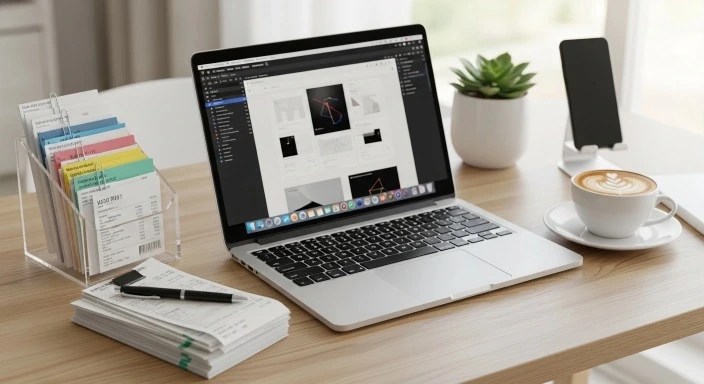
- Snap and store receipts with your phone or scanner
Bonus: Tools like QuickBooks Self-Employed let you scan receipts and auto-categorize them.
4. Separate Personal and Business Expenses
If you’re still using one bank account for everything, now’s the time to change. Open a separate business checking account or business credit card. This keeps records clean and simplifies deductions.
Check out our post on How to Report Freelance Income to the IRS for more on separating finances.
5. Use Receipt Apps or Cloud Storage
Don’t keep physical receipts in a shoebox. Instead:
- Use apps like Shoeboxed or Expensify to scan and save
- Store digital receipts in a cloud folder (e.g., Google Drive, Dropbox)
Organize folders by category and date for easy retrieval.
Shoeboxed is IRS-approved and designed to help freelancers keep clean digital records.
Bonus Tips: Make Tracking Part of Your Workflow
- Dedicate 15 minutes/week to update expenses
- Use browser extensions to auto-log digital purchases
- Include mileage tracking if you drive for client meetings (use MileIQ)
Final Thought: Stay Ahead, Save More
Tracking tax-deductible expenses doesn’t have to be a nightmare. With a few habits, the right tools, and a consistent workflow, you can:
- Maximize your tax deductions
- Stay audit-proof
- File faster and with confidence
Start with a basic system today, and you’ll thank yourself come tax season.
And if you haven’t yet, try our Freelance Tax Calculator to see how your expenses can lower what you owe.